



staff

Riva Kraizelman
Unix System Admin
Web Development
Software Installation and usage support
Lidow Complex (454)
972-4-829-3619
This email address is being protected from spambots. You need JavaScript enabled to view it.
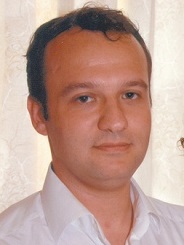
Yan Katz
Computing Purchase
Personal Computing Maintenance and Installation
Lidow Complex (322).
972-4-829-3555
This email address is being protected from spambots. You need JavaScript enabled to view it.
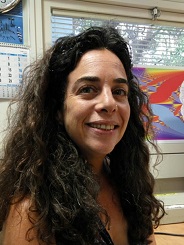
Adi Levy
Faculty websites manager
Lidow Complex (200).
972-4-829-3535
This email address is being protected from spambots. You need JavaScript enabled to view it.
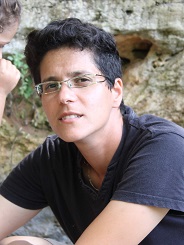
Ayala Hodara
Computer farm maintenance
Websites content managemnet
Faculty information management
Lidow Complex (200).
972-4-829-3535
This email address is being protected from spambots. You need JavaScript enabled to view it.
Public Printers
There are a network printers in public rooms, however one can not print directly to the printer. Please contact computer staff for connection.
Available printer:
| Location | Type of printer |
|---|---|
| Lidow 2nd floor | HP LaserJet M506 |
| Lidow 3rd floor | HP LaserJet P3015 |
|
Lidow 4th floor
|
HP LaserJet E50145
|
|
Lidow 6th floor
|
HP LaserJet E50145
|
| Lidow 7th floor | HP LaserJet P3015dn |
|
LITP
|
RICOH Aficio SP C430DN
|
Public Scanner
A public scanner is available in the faculty secretariat.
Wireless Communication
Faculty wireless points are located in:
- Lobby
- Library
- Auditorium 001
- 6th Floor
- 7th Floor
- LITP building
Available Wireless Networks:
- Techpublic - For everybody. does not require registration. Does not support campus resources.
- TechSec - For Technion users only. Connecting to wirelssTechsec connection
Wired Communication
Each room has one or more sockets. To connect a socket to the communication, send e-mail to: This email address is being protected from spambots. You need JavaScript enabled to view it.
- Desktops - get pemanent ip number by sending e-mail to: This email address is being protected from spambots. You need JavaScript enabled to view it.
- Laptops - get dynamic ip number wired registration procedure
Wired registration procedure
Faculty members and visitors that want to have wired connection for their laptop, should provide their Name, Host (if they have one) and wired Mac address to: This email address is being protected from spambots. You need JavaScript enabled to view it.
How to get your Mac Address:
- Windows: start --> run cmd ipconfig /all
search for the area "Ethernet adapter Local Area Connection" and get the content of field : physical address . - Macintosh In the Apple : About This Mac More details In the network area : Ethernet connection
- Linux : type /sbin/ifconfig and next to : HWaddr is the value needed
Forms
Borrowing equipment that is in the employee's home on a regular basis (Hebrew)